Data collection with the ecoPi
And here's how it works...
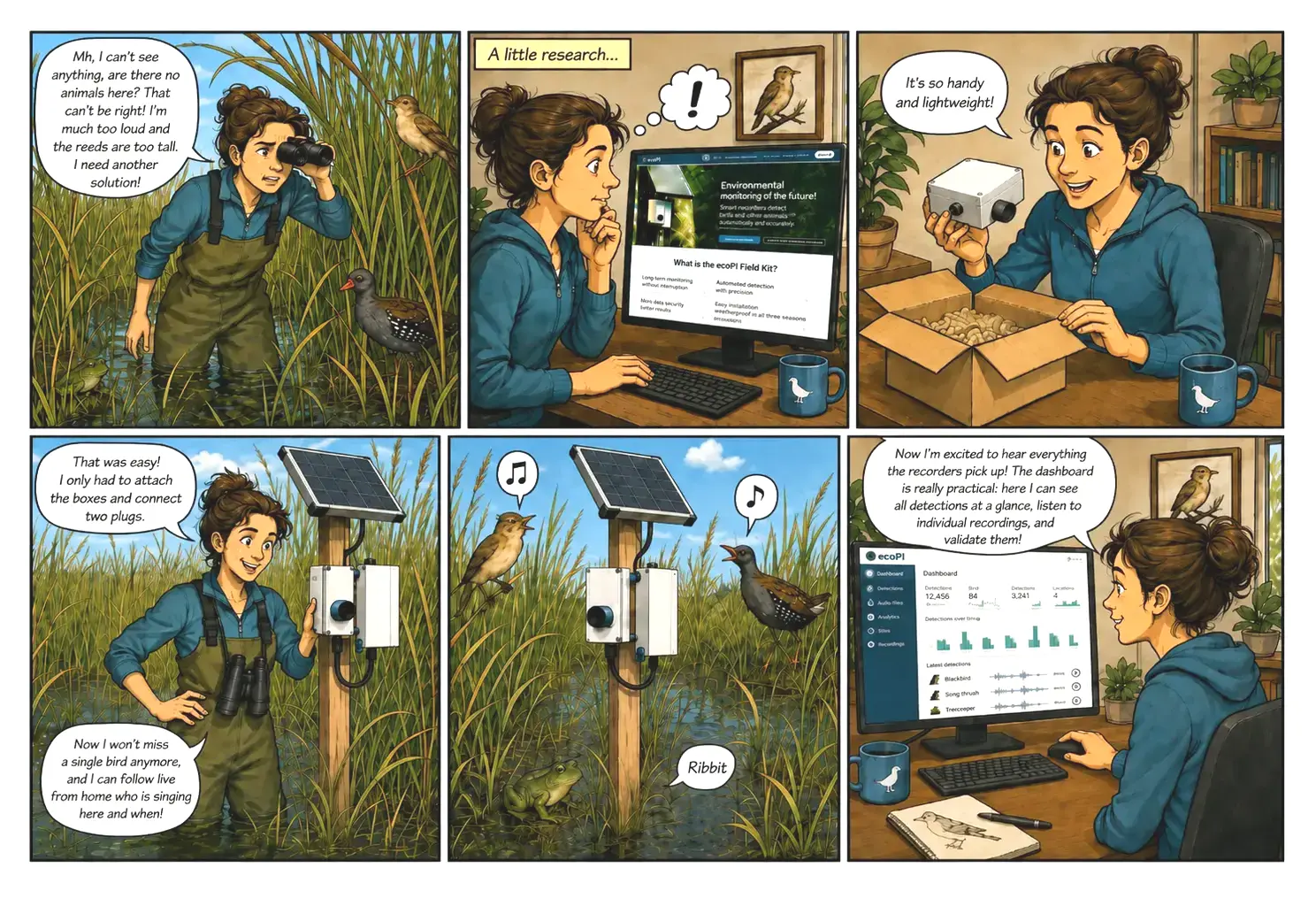
From configuration to a verified species record – six steps, no technical background required.
Six steps to the dataset
-
Configure hardware
You plan your project together with us: number of ecoPis, sensors, power supply, connectivity – in short, everything to do with the hardware. The software is configured remotely.
-
Plug & play
Mount the ecoPi, position the solar panel, connect it – and register it in your project in a few steps using the ecoPi Deploy app.
-
Record automatically
The ecoPi automatically records audio at the configured times – for weeks and months, largely maintenance-free.
-
Analyse on site
AI models such as BirdNET identify species directly on site, with a confidence value and timestamp. The raw audio data remains stored on the ecoPi.
-
Transmit detections
Detections are transmitted via mobile network; audio data only on request – this saves power and data volume, even with weak reception.
-
Review & validate data
In the dashboard, detections can be filtered, validated with a spectrogram and confirmed. Results can be exported or automatically passed to your own systems via the API – for example to GIS software, an internal database or your own visualisation.
Ready for the next step?
Tell us about the site, the target species and the survey period – we will get back to you with an assessment of what getting started could look like for you.