ecoPi Dashboard
Your detections at a glance.
The ecoPi Dashboard brings device status, species detections, and validation together in one web interface, so you stay on top of things without being on site.
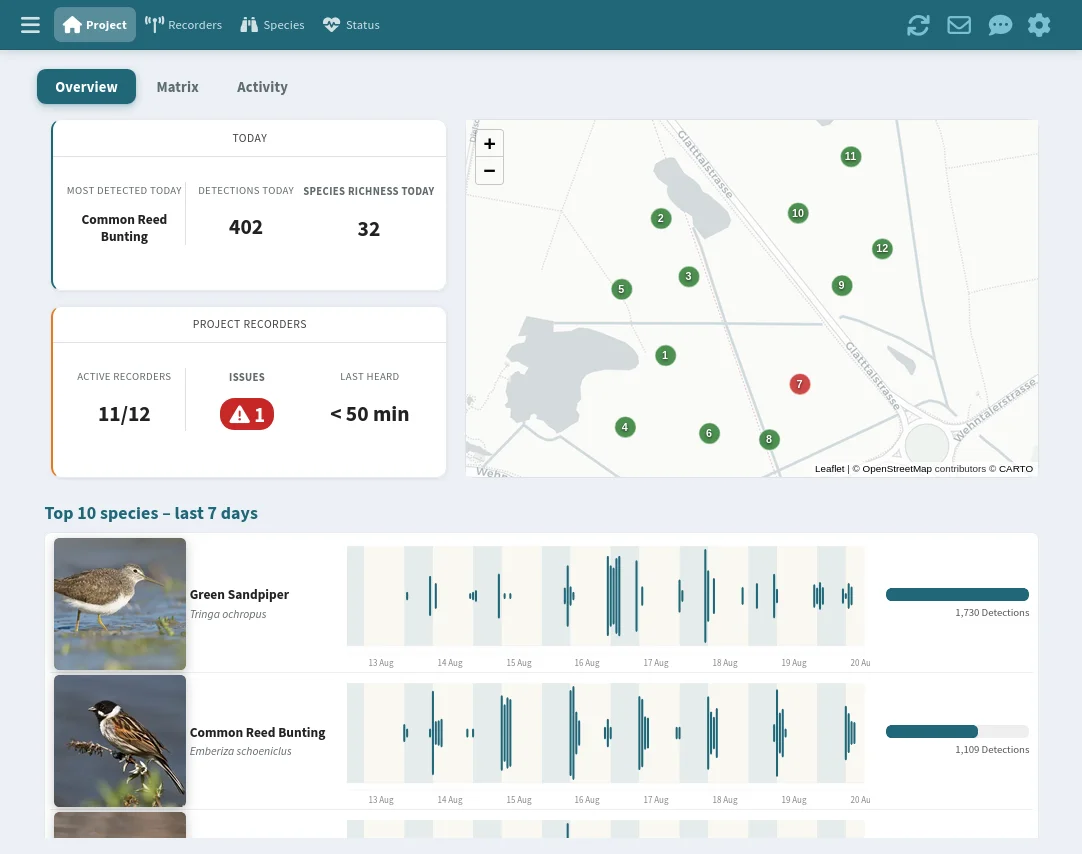
Project overview
Stat cards show active ecoPi devices, most recent detections, most active species, and species richness. A table of the last 100 detections rounds out the overview.
Stat cards & ecoPi data
Four cards show at a glance: active ecoPi devices, today's detections, most active species, and species richness. A separate tab complements the overview with the status of each individual ecoPi – power supply, storage usage, connection status, and last activity – plus a map of all device locations.
Latest detections
A table of the last 100 detections gives a quick sense of what's happening in the project right now, with species, time, and confidence score.
Detection matrix
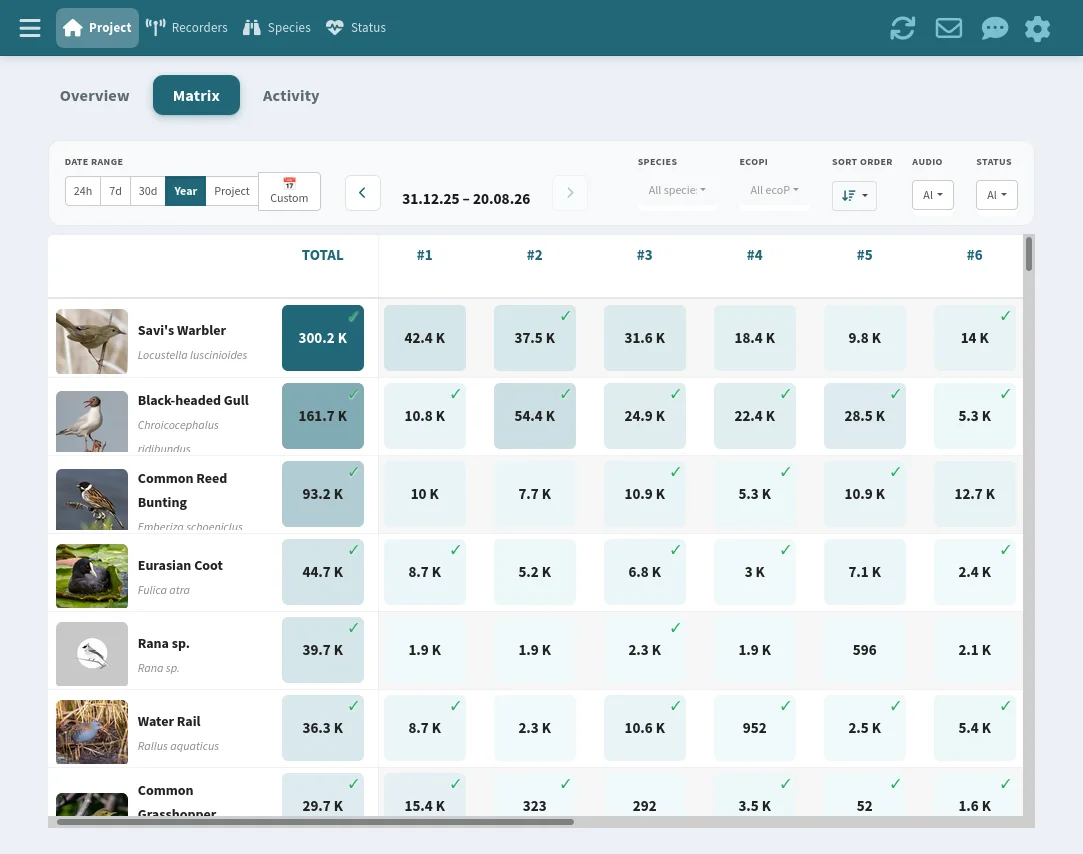
A heatmap shows all detections per species and time interval, how many, when, and where. Filter by species, time range, or recorder to spot patterns.
Species per time interval
The matrix shows each detected species as a row and time intervals as columns. Darker cells mean more detections, so you can see at a glance when a species was particularly active.
Filter by species
Pick a species from the list to see only its detections. The matrix and the associated map update instantly.
Find and validate detections
Click a cell in the matrix to jump to the associated detections. From there, audio files can be requested, listened to, and validated directly – without losing context.
Detection activity
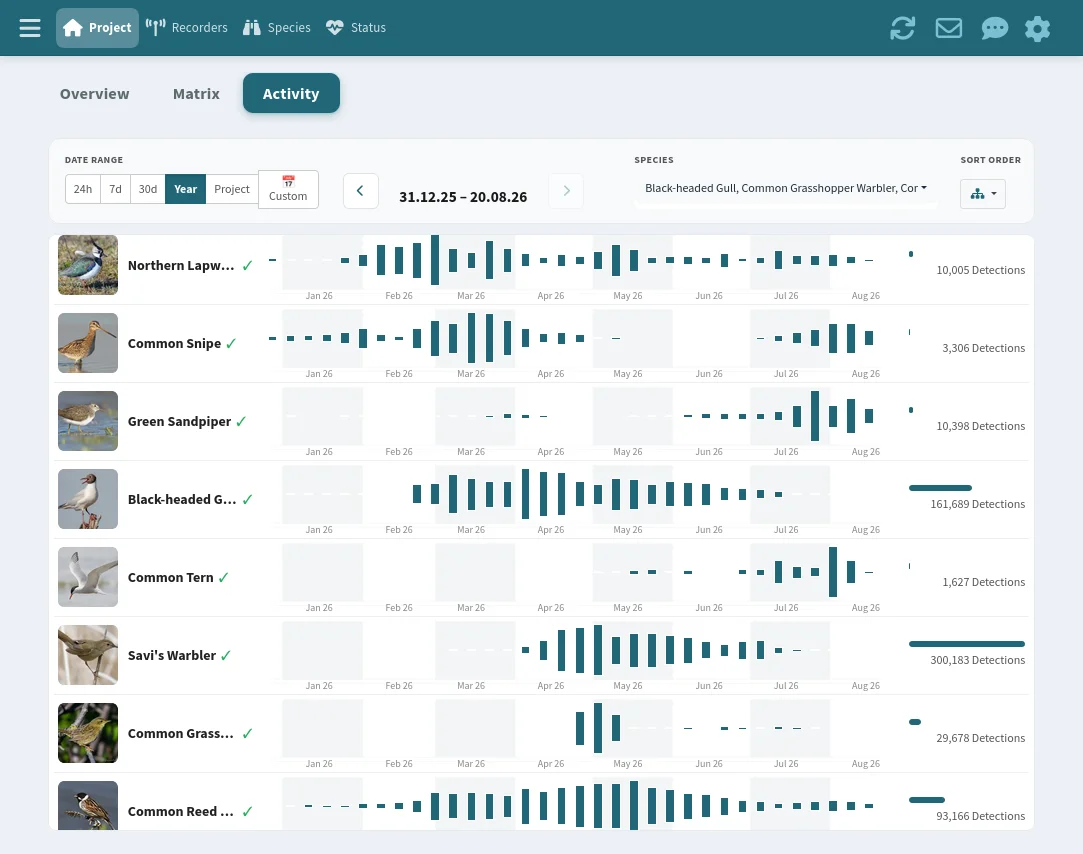
An activity plot gives an overview of individual species' detection activity – for the entire project or per recorder.
Species activity
The plot shows the activity of the selected species over the period – per recorder or across the entire project. Spot migration windows, breeding periods, or unexpected activity peaks at a glance.
Detection map
An interactive map shows all recorder locations. For the selected species, detection hotspots and daily distribution become visible.
Validation
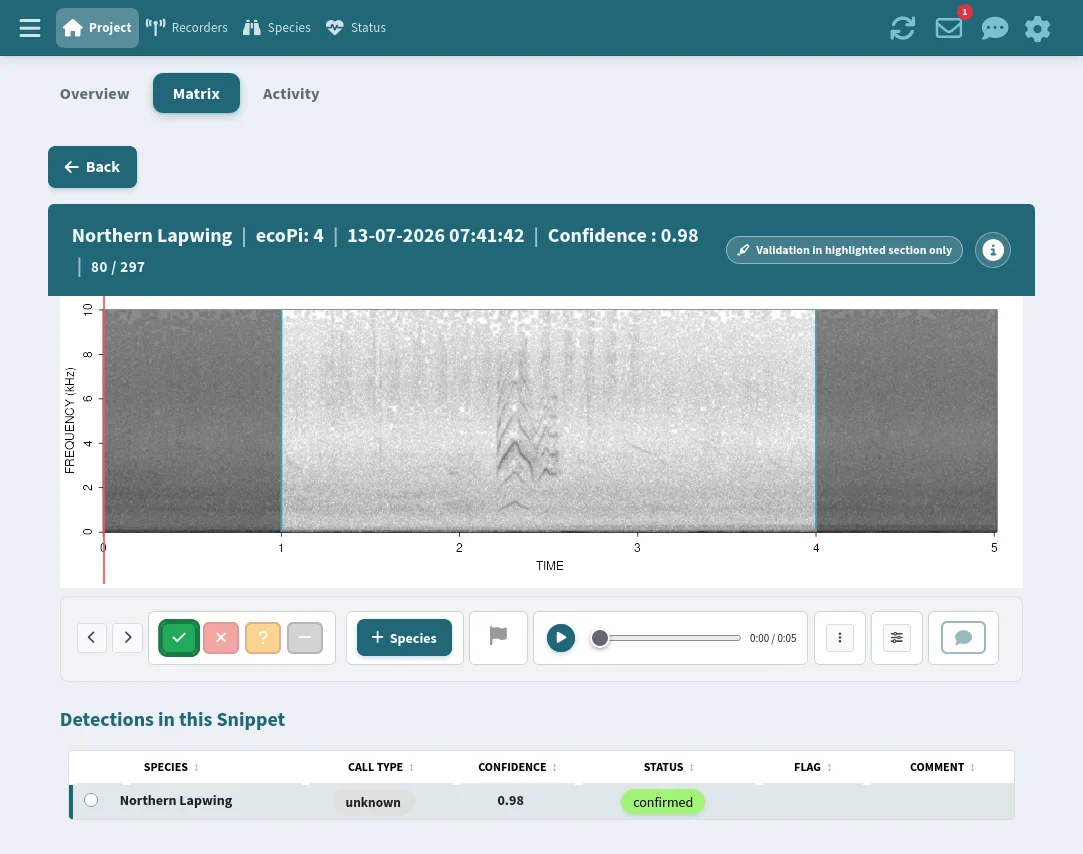
Every detection can be confirmed, rejected, or flagged as uncertain with one click. Spectrogram and audio file sit right beside it, no clicking back and forth.
Listen and review
Select a detection from the table to see its spectrogram and audio right beside it. Adjust FFT settings, download the audio file, or open it in a separate tab. An eBird link enables direct comparison with reference recordings.
Confirm, reject, flag
Each detection can be marked as „confirmed", „false", „uncertain", or „unvalidated". Detections can also be bookmarked and annotated with comments.
Advanced species correction
If the AI model misidentified a species, the identification can be corrected directly on the detection. Species can also be added manually if they are additionally audible in the audio clip but were not recognised by the AI model.
Curious what your data could look like?
We're happy to show you what the dashboard would look like for your project.